Six by iDesign Book a demo

The register that works like your iPhone.

Six by iDesign is the iPad register for cafés, bagel shops, delis, bakeries, restaurants and bars. Your staff already knows how to use it. One flat monthly price, no contract, and a team in Larchmont that picks up the phone.

The register opens in a new tab with a sample bagel shop. Tap a name and enter any 4 digits.

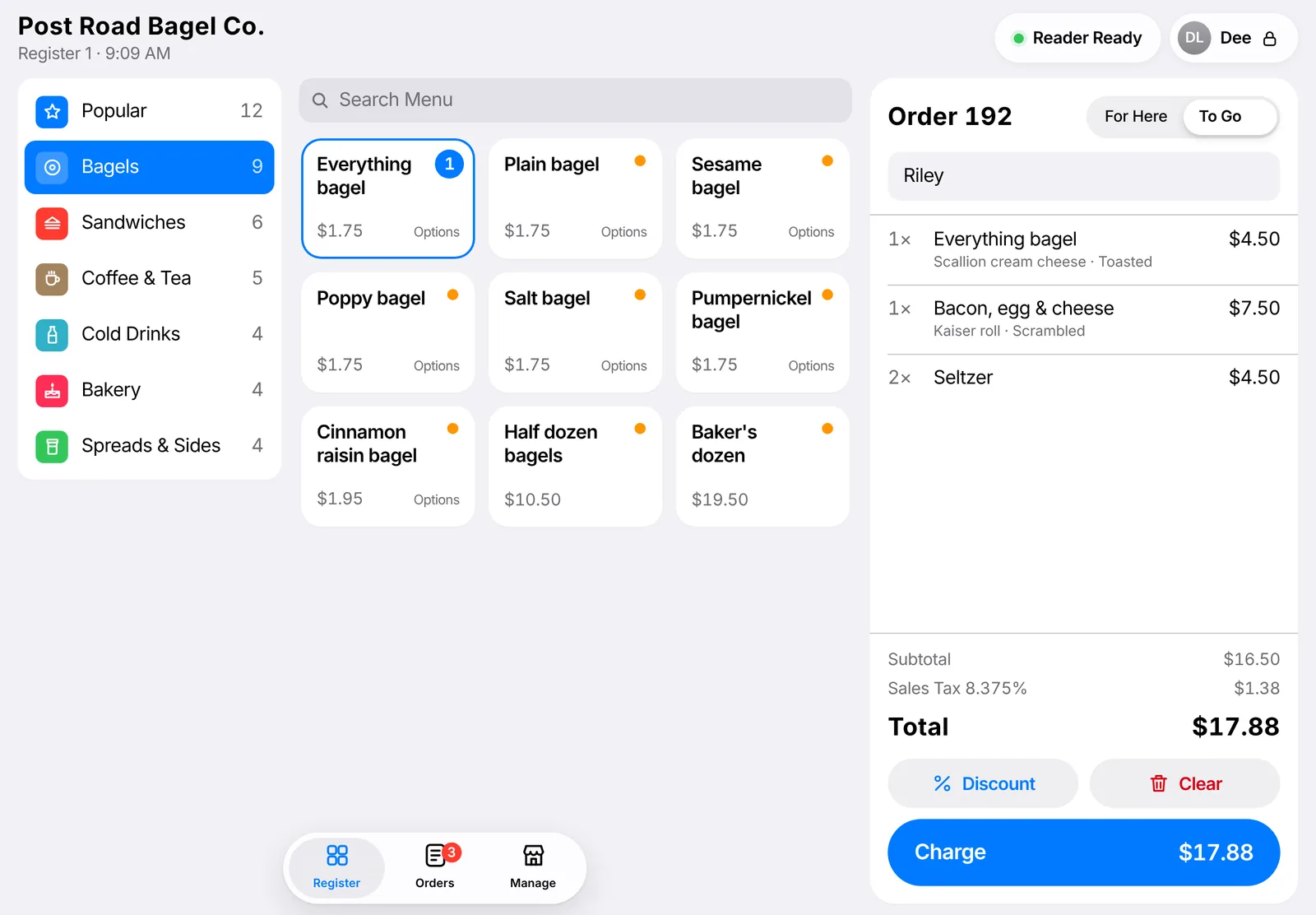
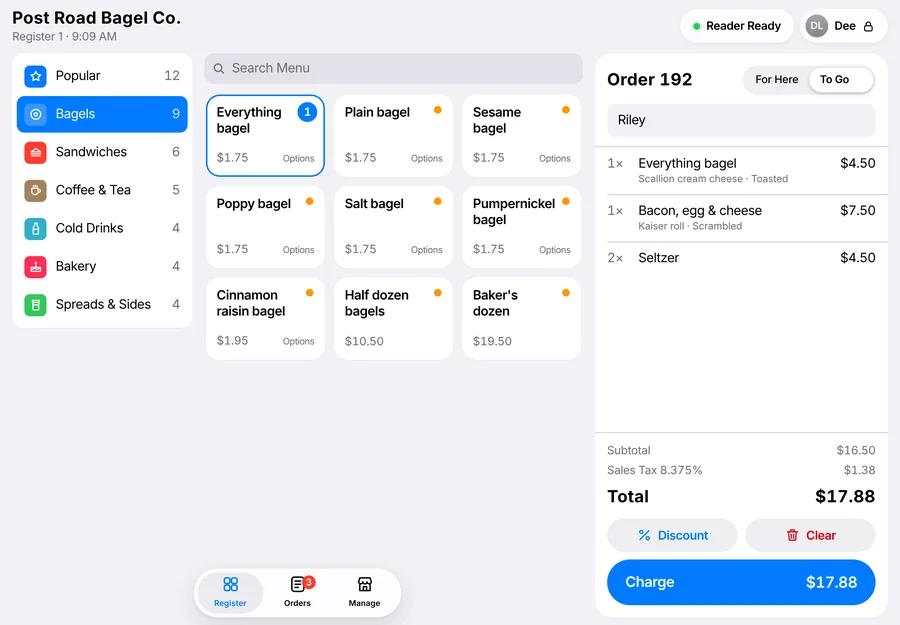
Six on an iPad: menu categories on the left, bagel and sandwich tiles in the middle, and an order for Riley on the right with a total of $17.88 and a Charge button.
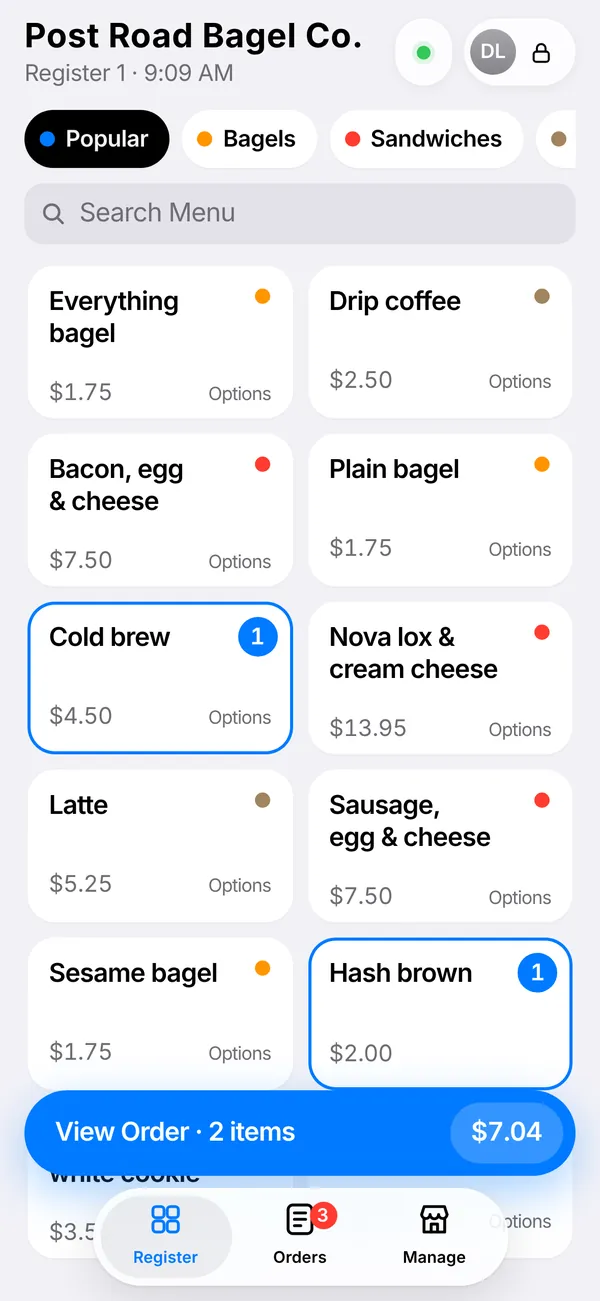
Six on an iPhone, showing menu tiles and a View Order button.

Your staff learned it on their phone.

Six uses the same moves people make on an iPhone all day long, so there is very little to teach a new hire.

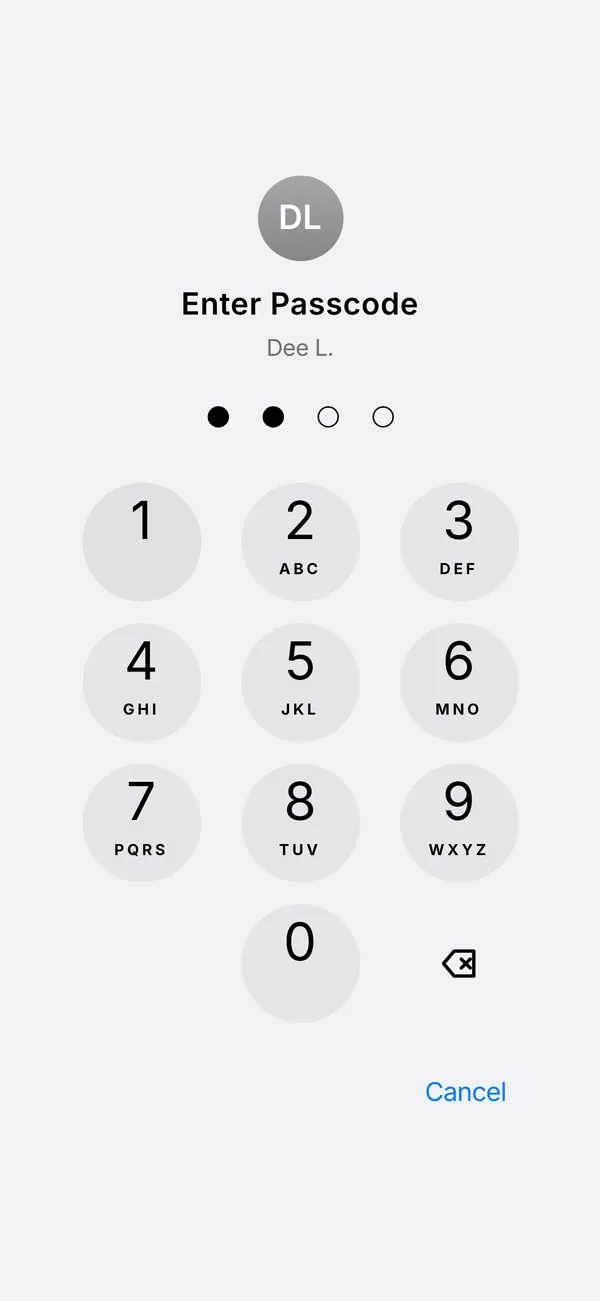
  • Passcode screen with a phone-style keypad and two of four dots filled.

    A passcode to start a shift

    Everyone on staff gets a 4-digit code. Tap your name, enter it, and every sale is tied to whoever rang it up.

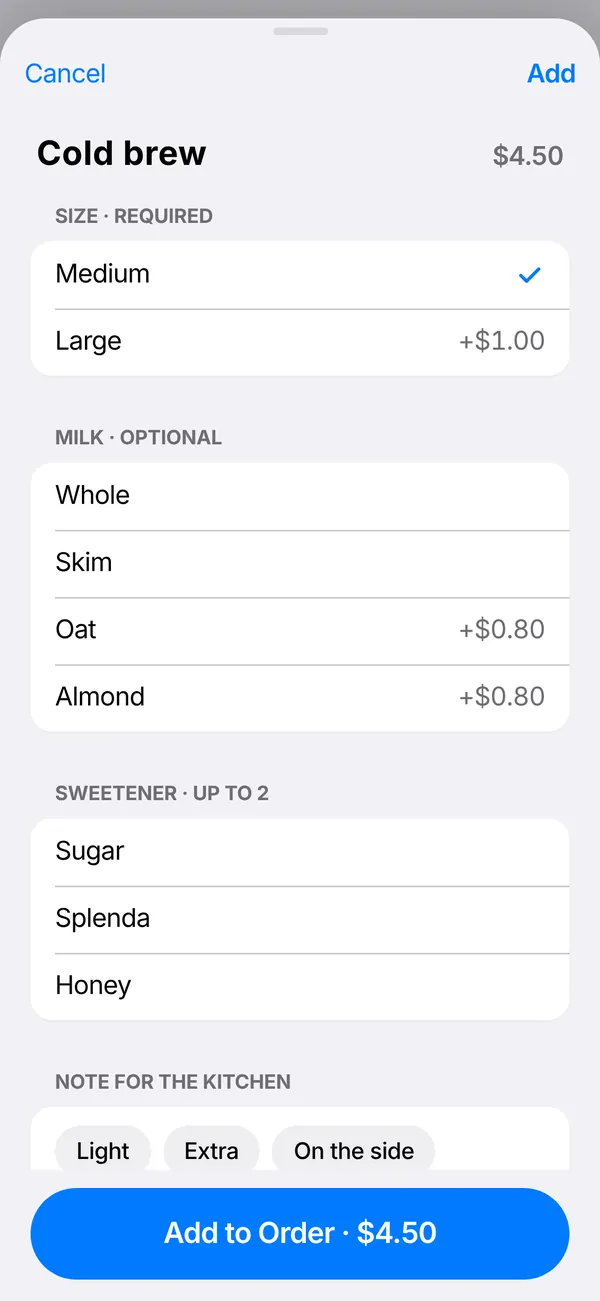
  • A cold brew's options in a sheet: size, milk, sweetener and kitchen notes, with an Add to Order button.

    Options slide up

    Tap an item and its choices come up from the bottom. Required choices are marked, so nothing reaches the kitchen half finished.

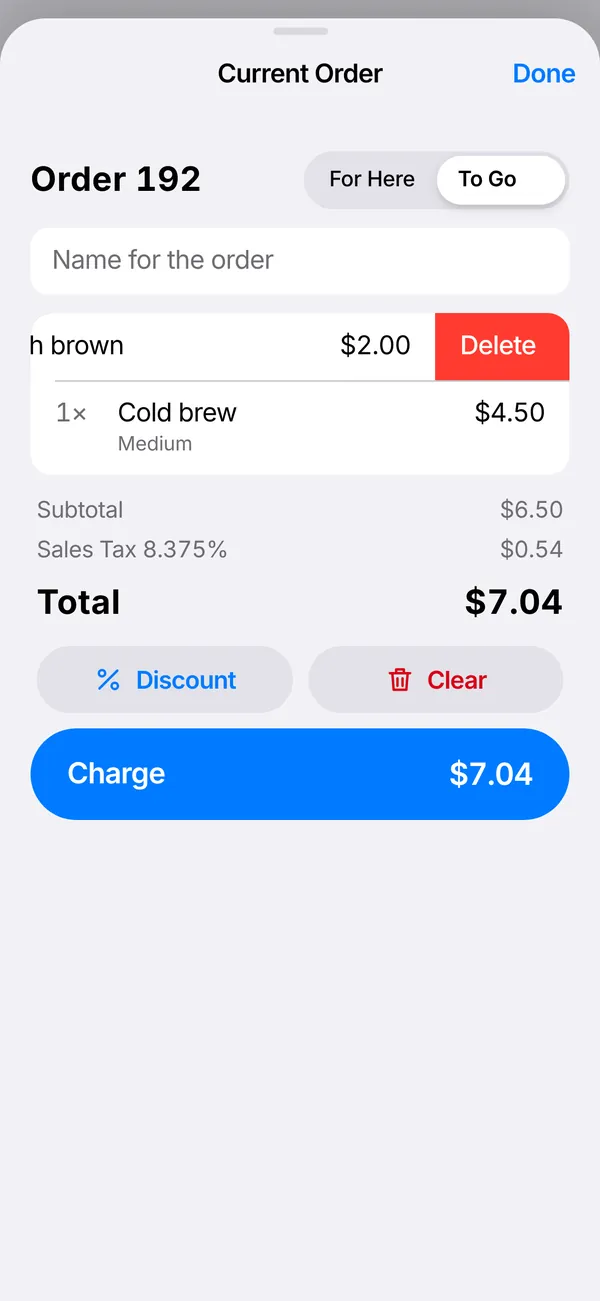
  • An order with one line swiped left to show a red Delete button.

    Swipe to delete

    Swipe a line to the left to take it off, the same as clearing an email. Change your mind and Undo puts it back.

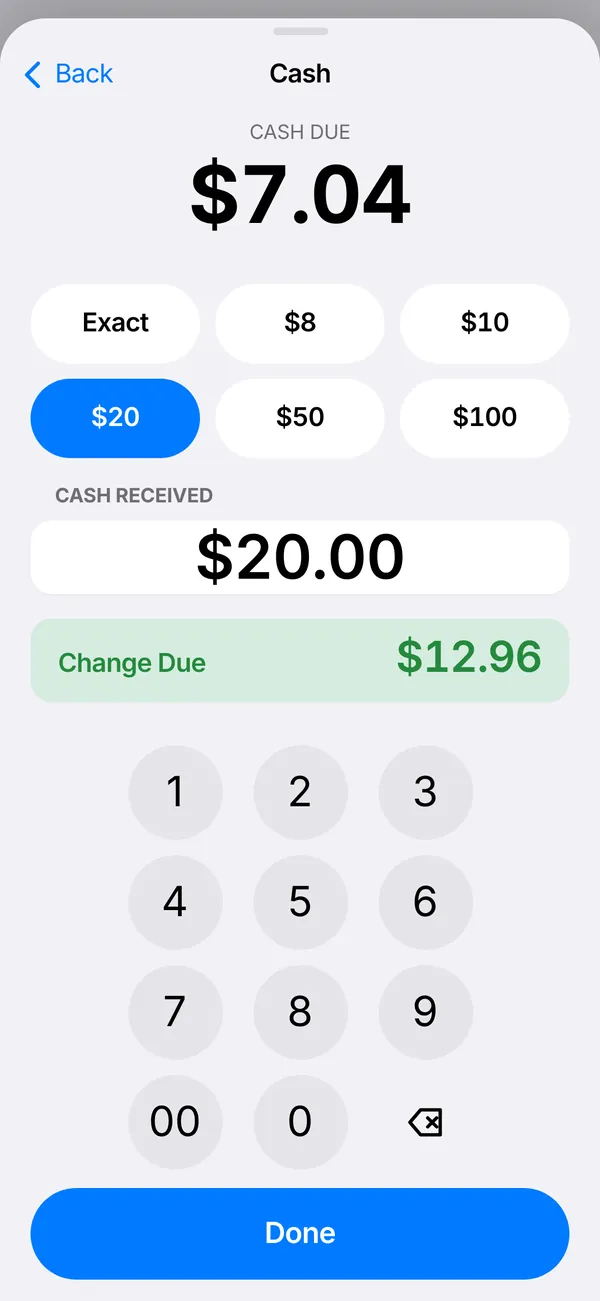
  • Cash screen: $7.04 due, $20.00 received, change due $12.96, above a phone keypad.

    The keypad you dial with

    Cash and passcodes use the Phone keypad. Tap the bill they handed you and Six shows the change right away.

From the counter to the kitchen to closing time.

At the counter or at the table, every order runs on one iPad.

  1. Ring it up

    Your menu on one screen, sorted the way you sell. Search any item, add options and kitchen notes, and mark something sold out the moment it runs out.

    The register with an order of an everything bagel, a bacon, egg and cheese, and two seltzers.
  2. Take payment

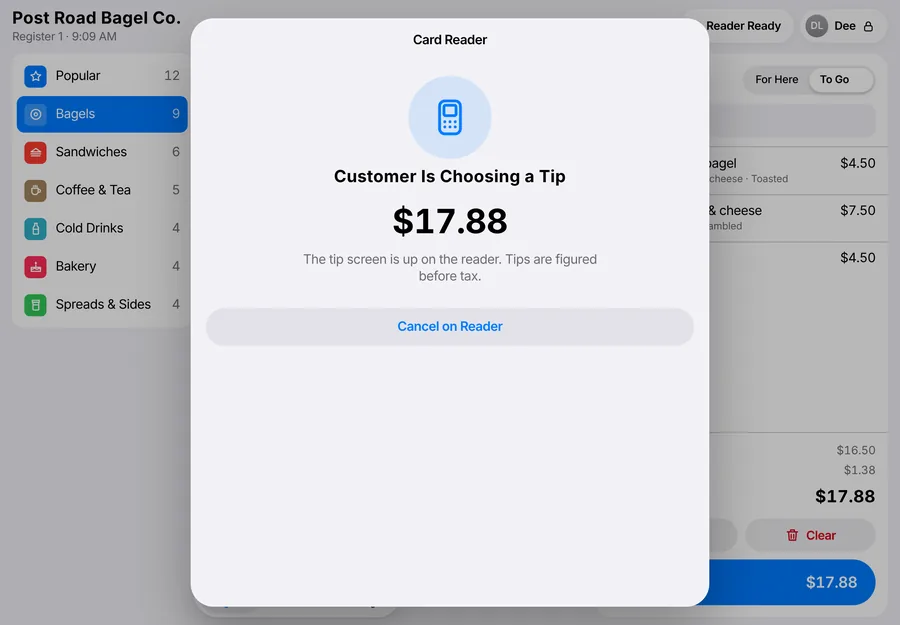
    Card payments run on a Stripe reader at the counter, and the customer picks a tip there. Tips are figured before tax. Take cash with change, or split a check up to eight ways. If a card is declined, Six says so and lets them try another.

    Card Reader screen: Customer Is Choosing a Tip, $17.88, with a Cancel on Reader button.
  3. Make it

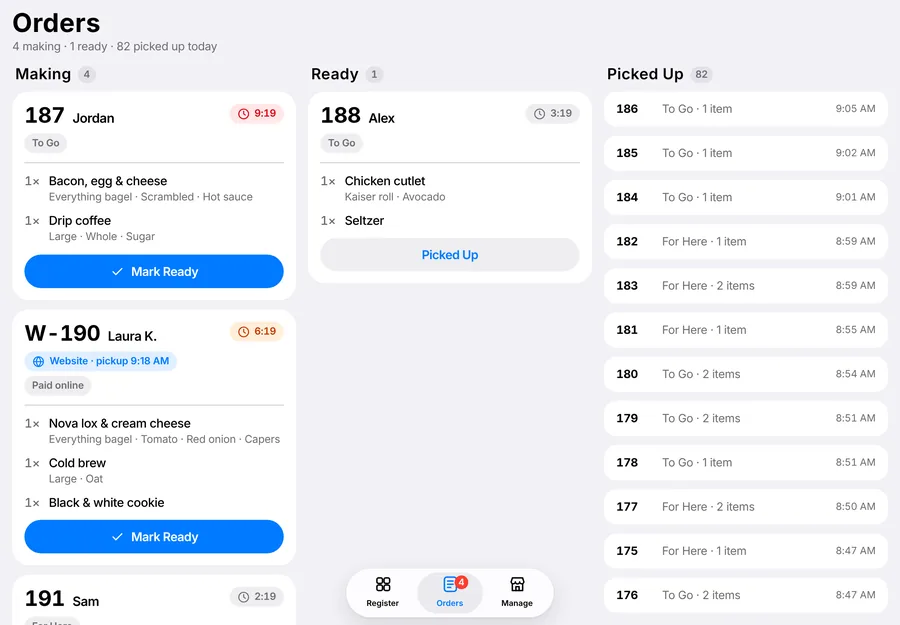
    Paid orders land on the kitchen board with a running timer. Tickets turn amber at 5 minutes and red at 8, so a slow order gets noticed before the customer asks.

    Kitchen board with Making, Ready and Picked Up columns. One ticket shows a red timer at 9:19.
  4. Run the dining room

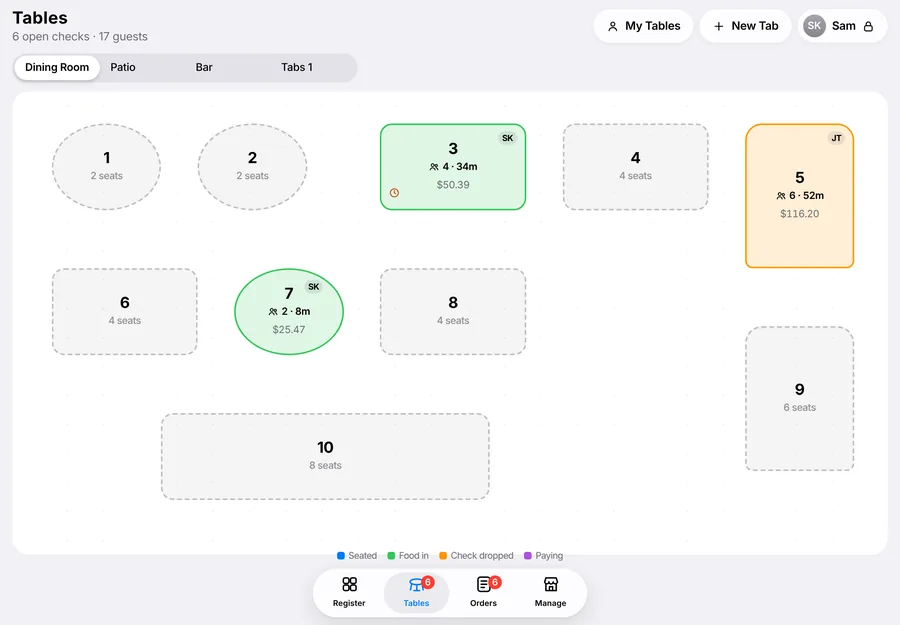
    Seat a table, ring in by seat and course, and fire the next course when it's time. Split the check by seat or evenly, take tips on the reader or on the receipt, and keep a card on file for bar tabs. Each server gets a checkout with their tips and tip-outs.

    Floor plan of the dining room with ten tables. Table 3 has 4 guests seated 34 minutes with $50.39 on the check, and table 5 has its check dropped.
  5. Close the day

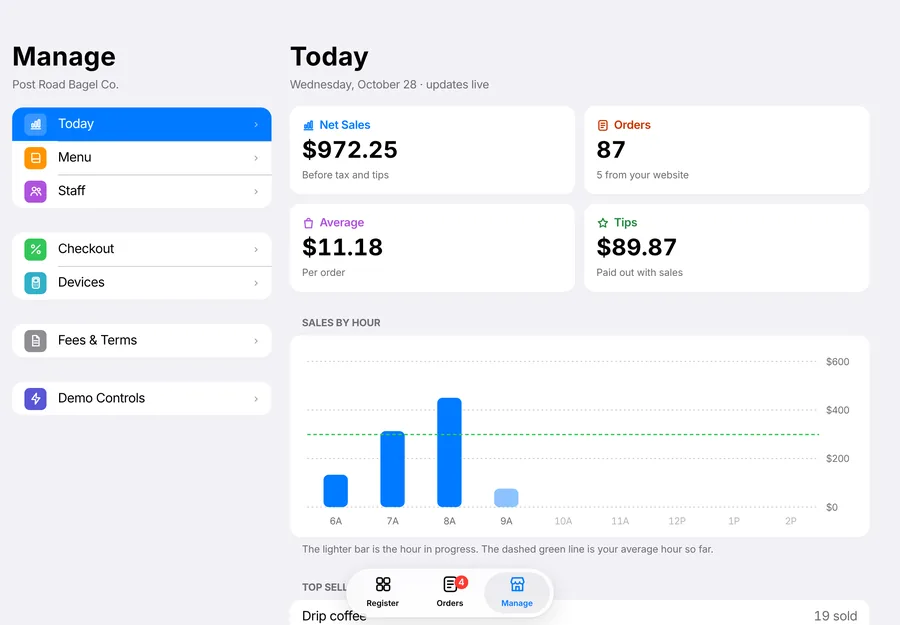
    Sales, orders, average ticket and tips update as you go, with sales by hour and your best sellers. Export everything to a spreadsheet whenever your bookkeeper asks.

    Today screen: net sales $965.75, 86 orders, $11.23 average, $83.40 in tips, and a sales by hour chart.

When the internet drops, the line keeps moving.

Orders and cash sales keep working with no connection. They save on the iPad and catch up on their own when you're back online. Card payments need a connection, and a reader with built-in cellular keeps cards going through an outage.

No contracts. No add-ons. No surprises.

The fine print, in plain English.

Month to month
Cancel any time. No fee, no notice period.
Price locked for 24 months
Your monthly price stays the same. No yearly creep.
Your hardware stays yours
Your iPad and card reader belong to you. No leases.
A real person picks up
Call or text iDesign any day you're open, until you close.
Your data is yours
Your sales, menu and customer list belong to you. Take them with you any time.
Help with held payouts
If a payout is ever held, we call you that day and sort it out.

Switching is on us.

Leaving your old register shouldn't cost you a penalty or a weekend. Here's what iDesign handles.

  1. We cover your exit fee

    If your current contract charges you to leave, we pay it, up to a limit we'll confirm on your demo.

  2. We move your menu

    Send the export from Toast, Square or Clover. We bring over your items, prices and options.

  3. We set up and train your team

    On site, before a weekend. Your staff rings up a practice rush before you go live.

  4. You run both for a week

    Keep your old register on the counter for 7 days, until you trust the new one.

A free launch kit with every switch

Designed and printed by iDesign.

  • New printed menusDesigned to match your brand.
  • QR table tentsCustomers scan to order online.
  • A window cling"Now ordering online," sized for your door.
  • Gift cardsA starter run, ready to sell.

One flat monthly price. Everything included.

Founding shops get pilot pricing, locked for 24 months. We'll walk through the numbers on your demo.

Register

Everything to run the counter, with nothing to add on.

  • iPad register, unlimited staff and devices
  • Kitchen order board with ticket timers
  • Live sales reports and full data export
  • Change prices or mark items sold out in seconds
  • Text and email receipts*
  • Rewards and gift cards*

Most shops start here

Register + Web

Your register and your website, working as one.

  • Everything in Register, plus:
  • Website designed and hosted by iDesign
  • Online ordering with no commission*
  • Menu and hours synced to your site and Google*
  • Google Business Profile managed for you
  • Review requests sent after each sale*

Register + Growth

A marketing team that knows what you sell.

  • Everything in Web, plus:
  • Monthly marketing plan built from your sales
  • Social posts and promos designed for you
  • Texts and emails to your rewards members*
  • Design work each month, within a set scope
  • Quarterly print credit for menus, signs and more

* Rolling out to founding shops during the pilot. Card payments are billed at one flat rate per transaction, and there are no other fees.

Standard hardware you own outright.

No proprietary terminals and no leases. Six runs in Safari on an iPad or iPhone, so you buy only what your counter needs.

  • iPad

    Any current iPad. Add Six to the Home Screen and it opens full screen, like an app. Managers can check in from an iPhone.

  • Card reader

    A Stripe reader on the counter takes tap, chip and swipe, and shows the customer the tip screen. Models with built-in cellular keep cards working if the internet drops.

  • Printers and cash drawer

    Star and Epson network printers for receipts and kitchen tickets, and a standard drawer that opens on cash sales. Already have a printer? Many models work.

  • Barcode scanner

    For packaged goods and retail shelves. Any Bluetooth scanner that types like a keyboard pairs with the iPad.

Printing, the cash drawer and barcode scanning are rolling out to founding shops during the pilot. Bring a photo of your counter to the demo and we'll tell you what you can keep.

We've got your six.

In the military, your six is the spot directly behind you, the one you can't see. Having someone's six means you're covering it. That's the dot at the bottom of our mark.

iDesign is a Service-Disabled Veteran-Owned Small Business in Larchmont, New York. We've built brands, websites and print for local businesses since 1994. Six is how we cover your counter.

Book a demo

Thirty minutes, at your shop, on a video call or by phone. We'll show you Six, walk through switching, and share founding shop pricing.

How should we meet?

We'll email you a video link before the call.

Pick a time

Loading open times…

About you

Pick a time to book.

We use your details only to set up and follow up on your demo. Privacy

Questions shop owners ask

Do I need new hardware?

Six runs on an iPad, which many shops already have, plus a Stripe card reader on the counter. Your old card reader won't carry over, because payments run through Stripe. We'll go over printers, drawers and scanners on your demo and tell you what you can keep.

What happens if the internet goes down?

Orders and cash sales keep working. They save on the iPad and sync when the connection comes back. Card payments need a connection, so if your internet is shaky, we'll suggest a reader with built-in cellular.

Is there a contract?

No. Six is month to month and you can cancel any time with no fee. Your monthly price is locked for 24 months.

How do card payments work?

Payments run on Stripe and go straight to your bank account. You pay one flat rate per transaction, with no other fees. We'll share the rate on your demo.

Can you move my menu over?

Yes. Send us the export from Toast, Square or Clover and we bring over your items, prices and options.

How does setup work?

We set up and train your team on site before a weekend. Then you keep your old register on the counter for a week while everyone gets comfortable.

Does it work on iPhone?

Yes. Six works on iPad and iPhone, so a manager can ring up a line-buster order or check the kitchen board from a phone.

Who do I call when something goes wrong?

iDesign. We're a team in Larchmont, New York, and a real person picks up any day you're open.

Is Six only for food?

Six is built for food and drink: cafés, bagel shops, delis, bakeries, juice bars, sit-down restaurants and bars. Retail is next. If you run a shop and you're not sure it fits, book a demo and we'll tell you straight.